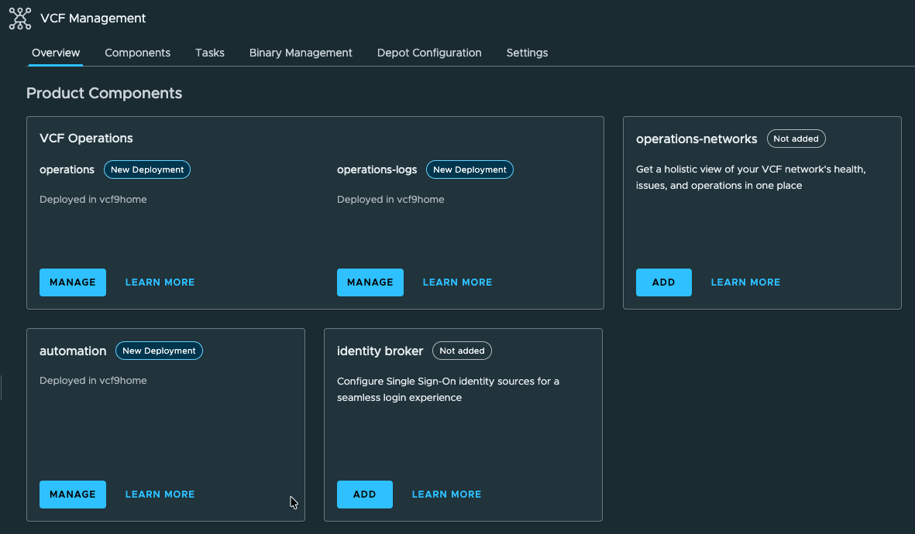
Today is all about lessons learned during the first deployment in my new homelab and doing some base configuration. Be warned, this is all about homelab and will, in most cases, not suit a production deployment. There might be a small possibility, but I assume "no".
Offline Depot
Like most people for the homelab deployment I used an offline depot and I followed instructions on how to tweak the VCF installer to accept a HTTP connection instead of HTTPS. I also wrote about it in my first post. This weekend I deployed VCF Operations for Log and yes, I wanted to use the VCF built-in lifecycle mechanism, just for the future. Trying to add an offline depot in the VCF Operations fleet management section was an epic fail. It is very simple to tweak the installer, but, at least from my standpoint of view, impossible to convince the VCF Operations Manager to accept an HTTP source. What have I done? I changed / reconfigured my web server to HTTPS with a self-signed certificate. Honestly, next time I will provide it as HTTPS source initially and use HTTPS with the VCF installer too. Now I know it's no additional effort. It's the opposite, configuring it properly from the beginning reduces additional work and reusability is increased.
As I am using the native web server from my QNAP NAS the configuration is fairly simple. Just use the default certificate. The trick is adding an .htaccess file. As the file is a hidden file I recommend adding and changing the file via command line. As soon as you change the name to a dot as prefix, the file is no longer shown in the file explorer.
On the QNAP I had to implement some changes to make it work. First I had to change the /etc/config/apache/apache.conf file. I looked for the section referring to the folder I am using to host the files and I changed the content to the following:
<Directory "/share/Web">
Options FollowSymLinks MultiViews
AllowOverride All
#Order allow,deny
Require all granted
</Directory>
Second step was to add a .htaccess file to the mentioned folder with following content:
# enable directory browsing
Options +Indexes
# allow download of all files
<FilesMatch ".*">
Require all granted
</FilesMatch>
# allow access from all sources
Allow from all
I am totally aware that this is not the most secure configuration, but my network is properly protected and the web server is only available in a dedicated network. Please do not use this configuration for any production environment.
Still VCF requires username and password. I didn't implement authentication. I added fake credentials and it worked perfectly fine.
NSX Edges
My second pitfall were the NSX edges. I deployed as always but they didn't came online. They got stuck during the CPU validation. Bit of digging in the internet I found out that I am, by far, not the only one having the issue. Officially NSX edges are not compatible with the AMD Ryzen CPUs built into the MS-A2 servers. The fix is simple, after the initial deployment SSH into the NSX edge and change the /opt/vmware/nsx-edge/bin/config.py file. I searched for "AMD" and commented the two lines being responsible for throwing an error.
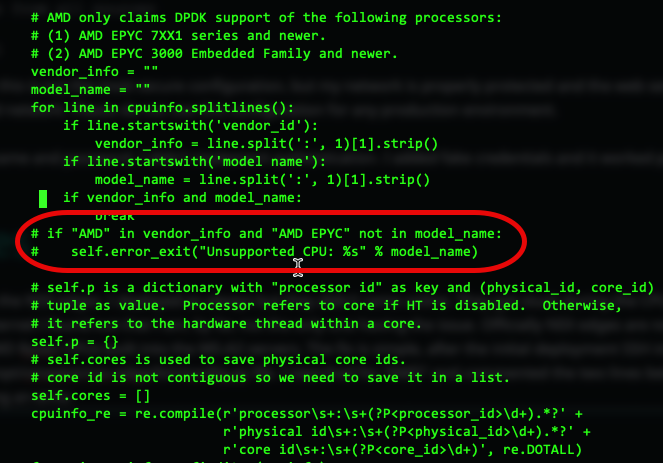
The red shape marks the area. Once the change is saved restart the dataplane. Use 'su -i admin' to change to NSXCLI and issue the command 'restart service dataplane'. Ideally restart the NSX edge virtual machine.
What I found out: better be prepared for the change. If you leave the edge running for too long in the fault state, applying the configuration change might not do it's job. I had it with one of my edges. I recommend to enable SSH during the deployment and connect as soon as possible. Using this method the change worked fine for me.
Deploying VCF Operations for Logs
I wanted to add VCF Operations for Logs to my homelab infrastructure. That's the point where I figured out that I need a HTTPS server for the offline depot ;-). I downloaded the OVA from the depot to the fleet management and started the deployment via Fleet Management -> Lifecycle. Once the binary mapping is done the deployment is straight forward. Fill the form pages with all information needed and start the deployment. This time I was confident but unfortunately I ran into an error. The deployment itself ran smooth but afterwards, trying to push capabilities to VSMP, the deployment failed with the error LCMVMSP10026. Long story short, my VCFA wasn't powered on (didn't need it and to save resources) and so the deployment wasn't able to configure VCFA to ship logs to the new VCF Operations for Logs instance.
Details can be found in this log file: /var/log/vrlcm/vmware_vrlcm.log
Interesting, it is obvious that the fleet management lifecycle is aware which solutions are deployed and tries to configure them. I think that makes perfectly sense because it saves some time to configure every single solution to integrate with others. During the deployment of additional solutions in the homelab, one need to be aware of the behavior. For the future, before deploying any additional solutions, I will make sure that all managed instances are powered-on and operating normally.
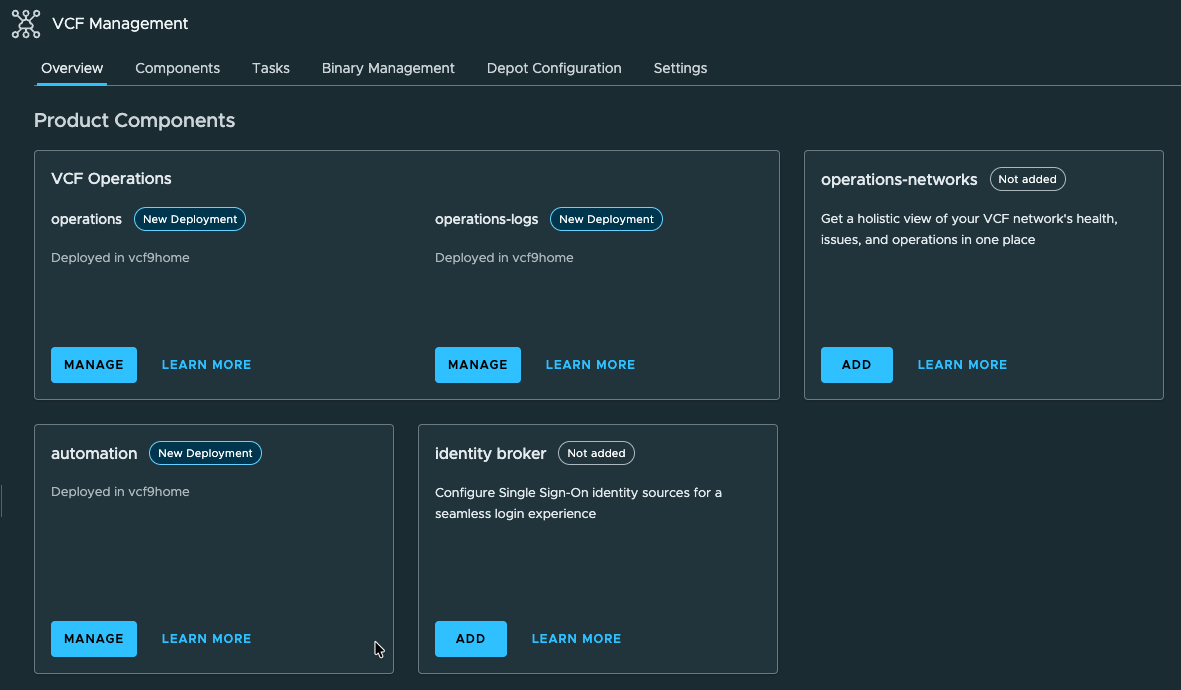
VCF Operations for Networks will be the next solution added to my homelab, but before diving into the shine world of network monitoring I will spend some time discussing basic configurations and cool stuff which can be done with the All Apps Org.
So long, hope you find this article helpful. Happy homelabing (don't think this actual a word).